
In this post, we are going to hide a field "Status" in Purchase Orders form.

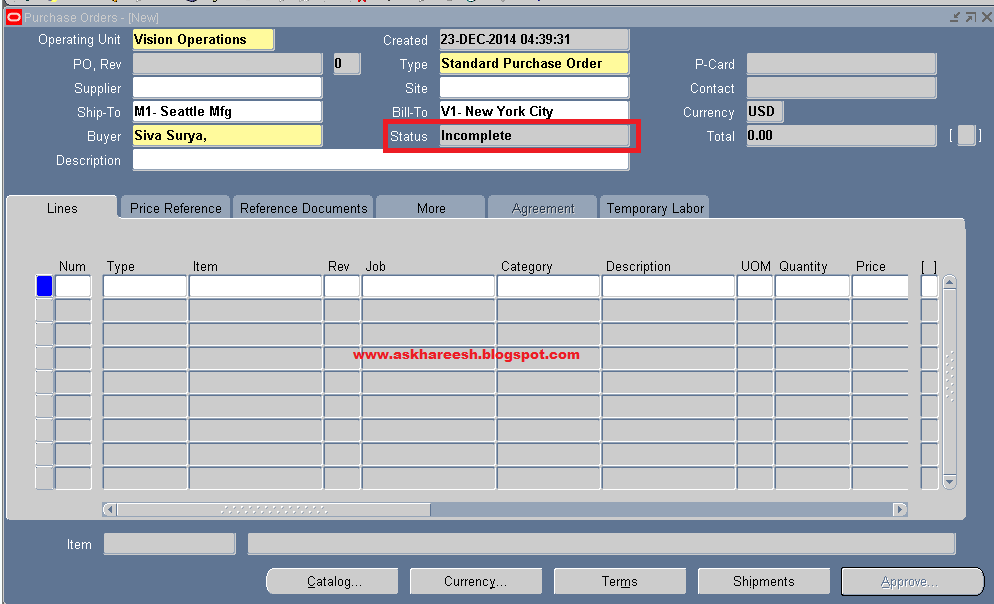


Open purchase orders form.
Navigation: Purchasing Vision Operations (USA) --> Purchase Orders --> Purchase Orders
So here, we are hiding Status field.
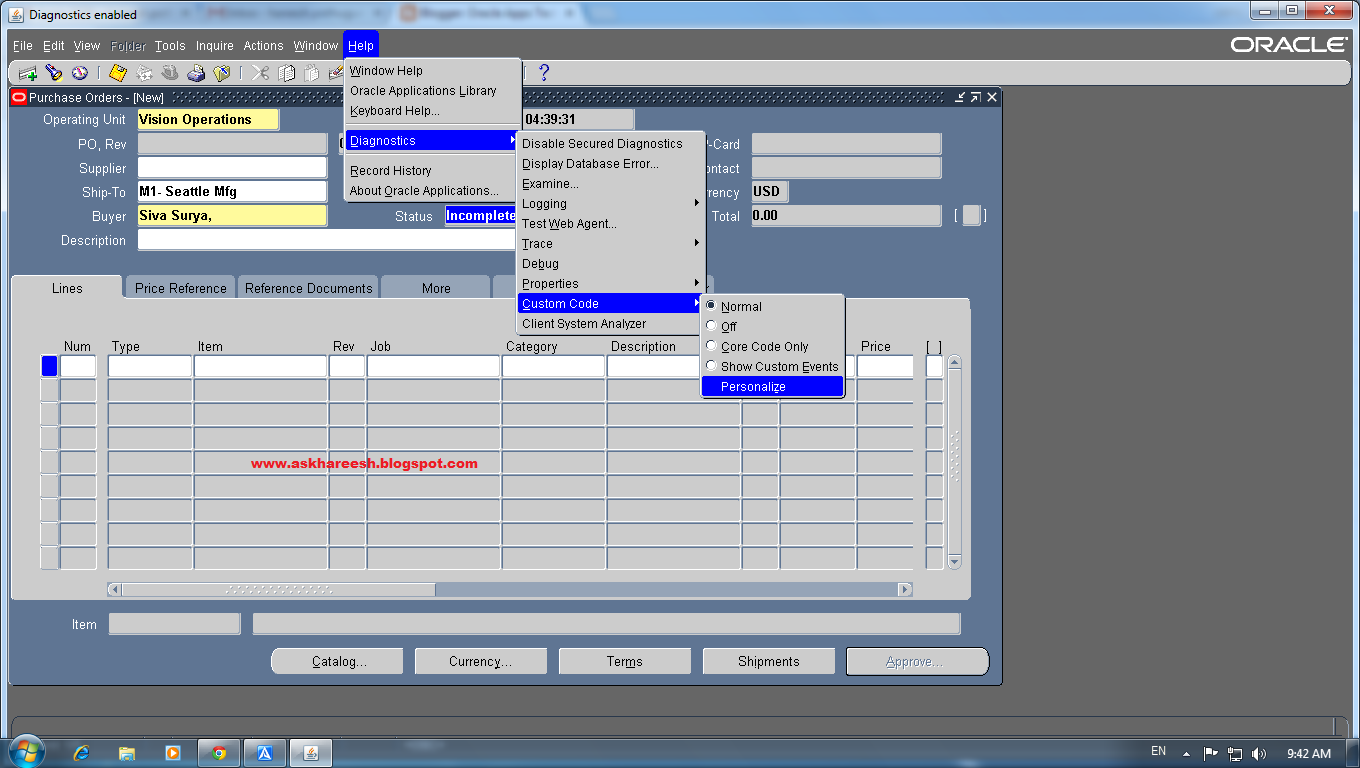
Now go to Help --> Diagnostics --> Custom Code --> Personalize
Add Seq, Description fields as below screenshot.
Now go to Actions tab.
add Seq, Object Type, Target Object, Property Name, Value.
Click on save. close the window and form it asks for changes save click Yes and Ok.
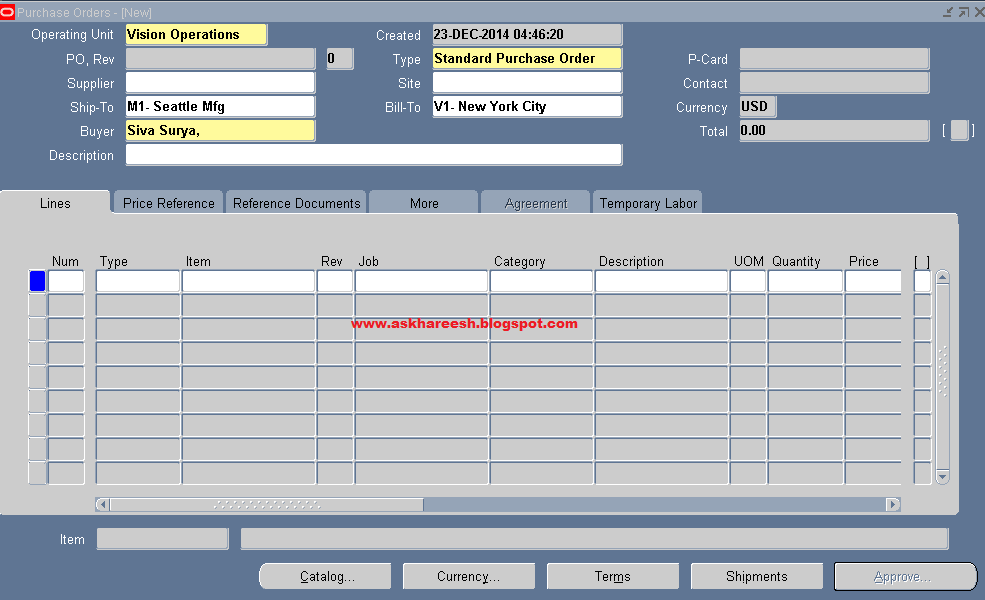
Again open Purchase Orders form, now you can't see the status field.
Also read : Procure to Pay (P2P) Cycle
Also read : Procure to Pay (P2P) Cycle

ReplyDeleteWhen working on custom t-shirt designs, it’s essential to choose high-quality materials to ensure lasting results. One popular option is using dtf transfer sheets, which provide vibrant colors and durability. These sheets are easy to use and suitable for various fabrics, making them a favorite among hobbyists and professionals alike. For best results, always follow the manufacturer’s instructions for application and care.