Procure to Pay (P2P) Cycle Part5

Invoice:
Types of Invoices

Standard
For all the normal payments we will create this.
Prepayment
Advance Payment to the supplier based on the requirement.
Credit Memo
If supplier give the discount
Debit Memo
If company is going to deduct the amount
Withholding tax
if supplier is not recognized, the on behalf of the supplier company will pay the tax.
PO Default
We will give the PO number according to that it will generate the Invoices.
Recurring Invoices
We will generate the Invoices multiple times for fixed supplier, fixed amount, and fixed duration.
Expense Report
Employee expenses
Quick Match
2 Way, 3 Way, 4 Way
Mixed Invoice
Miscellaneous expenses
Interest Invoice
If the invoice due date is over or supplier is interested to pay Interest.
Retinage invoice
Some amount will be released based on the satisfaction.
Transportation
Transportation expenses.


After creating the invoice, we have to do the 3 steps.
  1. Validate Invoice
  2. Approve Invoice
  3. Create Accounting Transactions.

Navigation: Payables, Vision Operations (USA) ---> Invoices ---> Entry ---> Invoices
Procure to Pay (P2P) Cycle, www.askhareesh.com

Enter Purchase Order (PO) number, Invoice date, Invoice number, amount and tax control amount and click on Match button to match invoice with that particular Purchase order.
Procure to Pay (P2P) Cycle, www.askhareesh.com

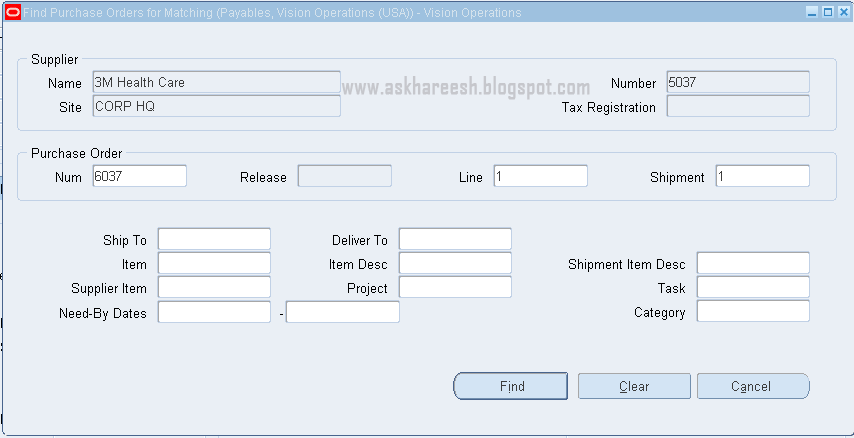
Enter purchase order number, line and shipment and click on Find button.
Procure to Pay (P2P) Cycle, www.askhareesh.com

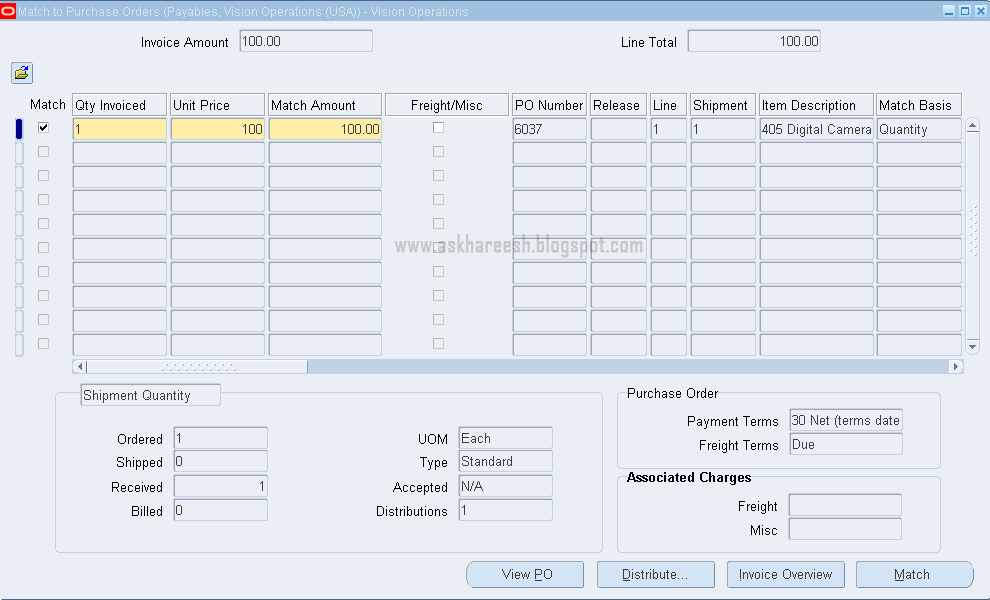
Tick match check box at lines level and click on Match button and copy invoice number.
Procure to Pay (P2P) Cycle, www.askhareesh.com

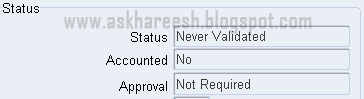
Check the Status, Accounted and Approval columns in Status block.
Procure to Pay (P2P) Cycle, www.askhareesh.com

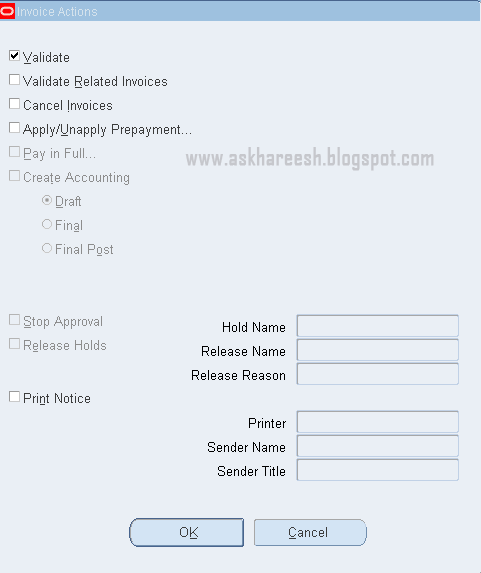
Tick validate check box and click OK button, check Status column as “Validated”. Now click on Actions button again and tick Create accounting check box with final or final post.

Procure to Pay (P2P) Cycle, www.askhareesh.com
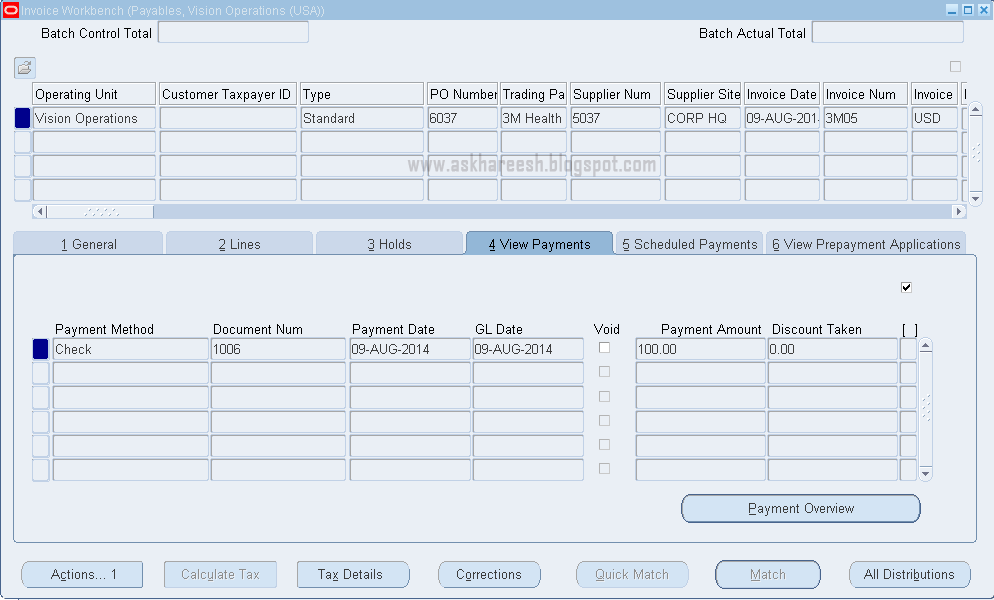
Click OK and check view payments, there is no data.
The tables affected with Invoices are:
SELECT * FROM AP_INVOICES_ALL WHERE INVOICE_NUM='3M05'; 

SELECT * FROM AP_INVOICE_LINES_ALL WHERE INVOICE_ID=211320;

SELECT * FROM AP_INVOICE_DISTRIBUTIONS_ALL WHERE INVOICE_ID=211320;

<<<Previous                      Next>>>


Procure to Pay (P2P) Cycle Part7

Transfer to General Ledger:
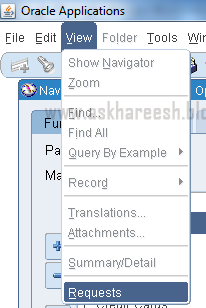
View Menu ---> Requests
Procure to Pay (P2P) Cycle, www.askhareesh.com


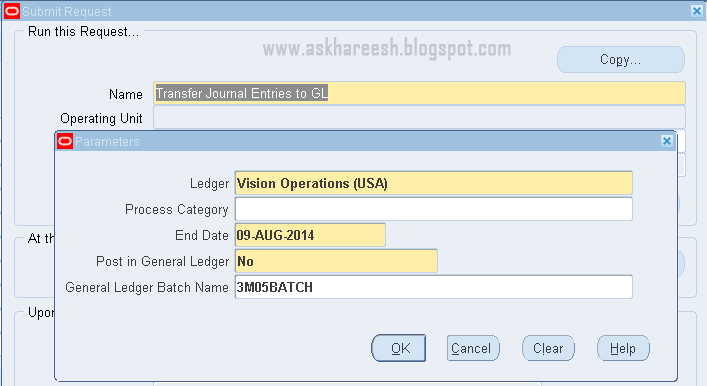
Run “Transfer Journal Entries to General Ledger” program. Enter the parameters as below.
Procure to Pay (P2P) Cycle, www.askhareesh.com

Run “Transfer Journal Entries to General Ledger” program. Enter the parameters as below.

Procure to Pay (P2P) Cycle, www.askhareesh.com

Submit the program by clicking OK and then Submit Button and copy the batch name. Find the request status by clicking Find button. After successful completion of this concurrent program, another program will run automatically named as “Journal import”, after this “Open Account balances Data Manager” and “TB worker” programs will run automatically.

Procure to Pay (P2P) Cycle, www.askhareesh.com

By successful completion of these concurrent programs, journal entries will be transferred to General Ledger module. You can check these with Batch name.

General Ledger:
Navigation: General Ledger, Vision Operations (USA) ---> Journals ---> Enter
Procure to Pay (P2P) Cycle, www.askhareesh.com

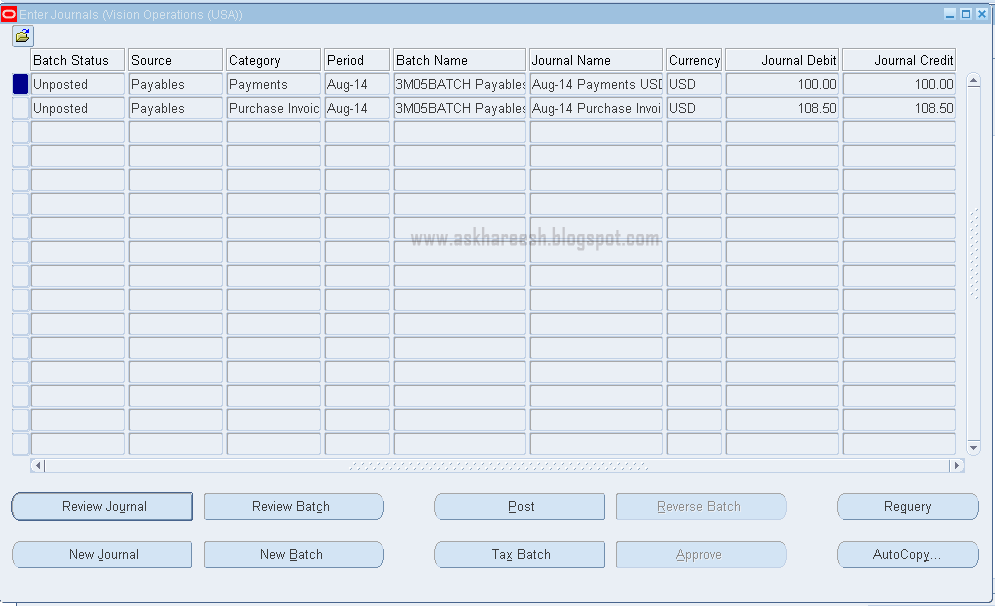
Enter batch details and click on Find button.

Procure to Pay (P2P) Cycle, www.askhareesh.com

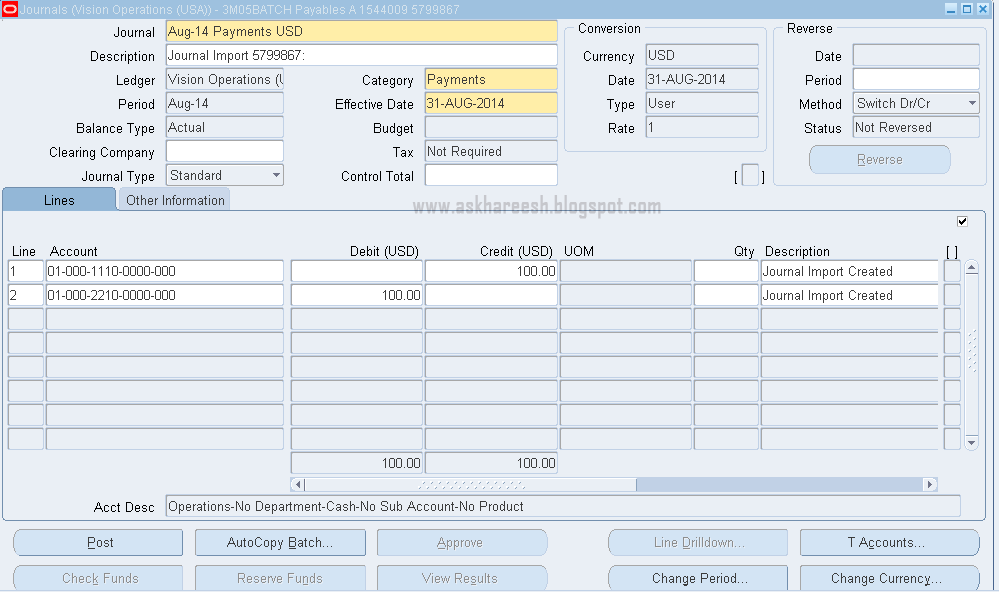
You can review your journal by clicking Review journal button.

Procure to Pay (P2P) Cycle, www.askhareesh.com

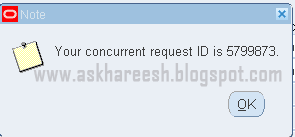
Post your Journal Entries by clicking Post button. The following Message will display.

Procure to Pay (P2P) Cycle, www.askhareesh.com

You can check this Concurrent program status.

Procure to Pay (P2P) Cycle, www.askhareesh.com

The tables affected with this Journal Entries are:
SELECT * FROM GL_JE_BATCHES WHERE NAME LIKE '3M05BATCH%';

SELECT * FROM GL_JE_HEADERS WHERE JE_BATCH_ID=2927184;

SELECT * FROM GL_JE_LINES WHERE JE_HEADER_ID IN (468115, 4681156);


<<<Previous

Procure to Pay (P2P) Cycle Part3

Quotation:
It is also a purchasing document; prepared by the Suppliers which contain the quote details, Price, payment terms and so on. We will enter all the Quotations details in the system through a form.
There are three types of Quotations available.
  • For Bid RFQ: Bid Quotation
  • For Catalog RFQ: Catalog Quotation
  • For Standard RFQ: Standard quotation

The management will do quote analysis and choose the best quotation from all suppliers.


Navigation: Purchasing, Vision Operations (USA) ---> RFQ’s and Quotations ---> Quotations
Procure to Pay (P2P) Cycle, www.askhareesh.com

Enter all the details of Quotation for that particular RFQ by entering RFQ number at headers level.

Procure to Pay (P2P) Cycle, www.askhareesh.com

Enter the discounts by clicking Price Breaks button and save data.
The tables affected with this Quotation creation are:

SELECT * FROM PO_HEADERS_ALL WHERE SEGMENT1='503' AND TYPE_LOOKUP_CODE='QUOTATION';

SELECT * FROM PO_LINES_ALL WHERE PO_HEADER_ID=110348;

SELECT * FROM PO_LINE_LOCATIONS_ALL WHERE PO_LINE_ID=173276;

PO (Purchase Order):

PO is one of the main documents, prepared and approved by the buyer according to the quotation  and sends it to the supplier which contains the information of terms and Conditions, Items details, Quantity, Price, Distribution, Shipment Details and so on. .
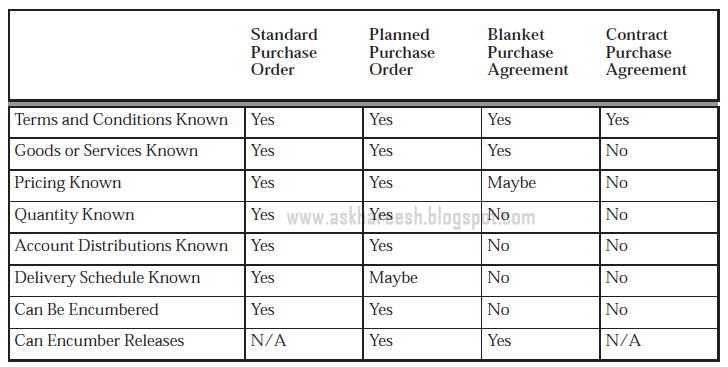
There are four types of Purchase Orders.
  • STANDARD
  •  PLANNED
  •  BLANKET
  •  CONTRACT

Purchase Order types Summary:
Procure to Pay (P2P) Cycle, www.askhareesh.com

Navigation: Purchasing, Vision Operations (USA) ---> Purchase Orders ---> Purchase Orders
Procure to Pay (P2P) Cycle, www.askhareesh.com

Enter the Information at headers and lines level as below.

Procure to Pay (P2P) Cycle, www.askhareesh.com

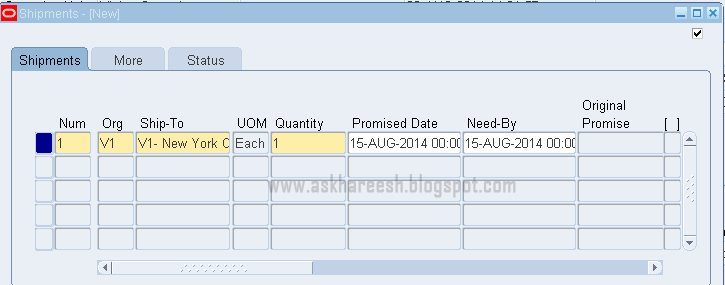
Click on Shipments button to enter Shipments level details.

Procure to Pay (P2P) Cycle, www.askhareesh.com

Click on More tab of this form, you can find match approval level.

Procure to Pay (P2P) Cycle, www.askhareesh.com

Procure to Pay (P2P) Cycle Part6

Payments:
Once the Invoice is created, approved and accounted. Then we can make the Payments to the supplier. There are three types of Payments.
  • Manual: If Organization is going to pay the amount by cheque or cash then it will be captured under the manual payment type.
  • Quick: System will automatically generate the payment transaction as per the Invoice number. System will automatically generate the Cheque number also.
  • Refund: If any refundable amount is there, we have to pay to the supplier or customer or employee then those payments will be select as Refund method.

Navigation: Payables, Vision Operations (USA) ---> Payments ---> Entry ---> Payments
Procure to Pay (P2P) Cycle, www.askhareesh.com

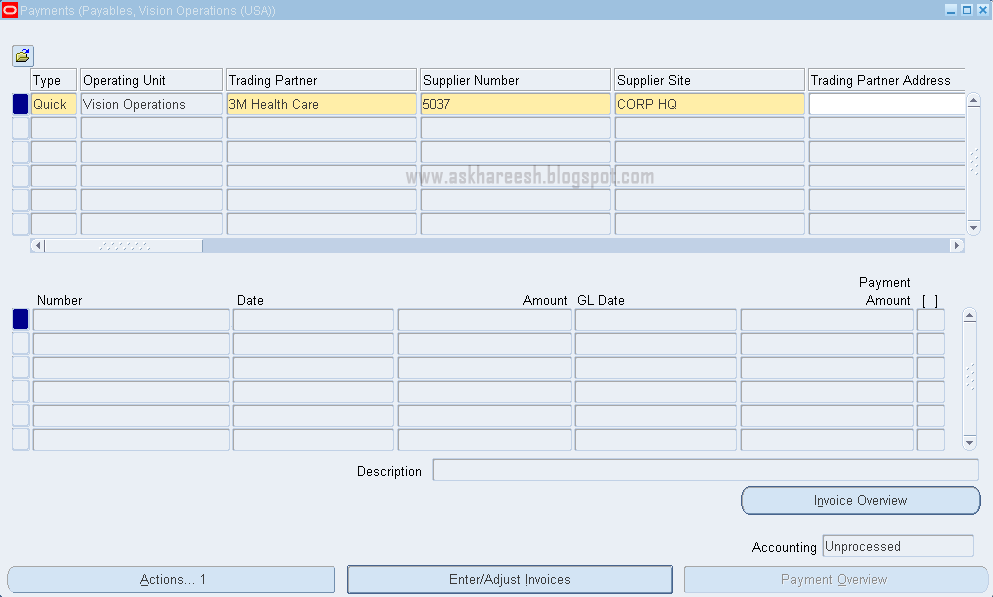
Enter trading partner, payment date, bank account, payment process profile, method and document at headers level. Click on Enter/Adjust Invoices button to add this payment for particular Invoice of this supplier or trading partner.
You can create multiple payments for single invoice with different amounts
Procure to Pay (P2P) Cycle, www.askhareesh.com

Enter invoice number and save close this window.
Click on Actions button and tick Create Accounting check box with final.

Procure to Pay (P2P) Cycle, www.askhareesh.com

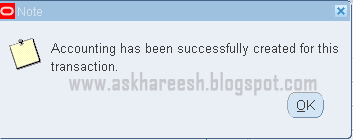
Click on OK. The following message will come.

 Procure to Pay (P2P) Cycle, www.askhareesh.com

You can check these payments in View payments tab in Invoice form.

Procure to Pay (P2P) Cycle, www.askhareesh.com

The tables affected with this payments creation are:
SELECT * FROM AP_INVOICE_PAYMENTS_ALL WHERE INVOICE_ID=211320;

SELECT * FROM AP_CHECKS_ALL WHERE CHECK_ID=77550;


Procure to Pay (P2P) Cycle Part4

There are three Match Approval Levels.
  • Two–Way: Purchase order and invoice quantities must match within tolerance before the corresponding invoice can be paid.
  • Three–Way: Purchase order, receipt, and invoice quantities must match within tolerance before the corresponding invoice can be paid.
  • Four–Way: Purchase order, receipt, inspection and invoice quantities must match within tolerance before the corresponding invoice can be paid.
Choose one match approval level and click on Distributions button to get account details as below.

Procure to Pay (P2P) Cycle, www.askhareesh.com


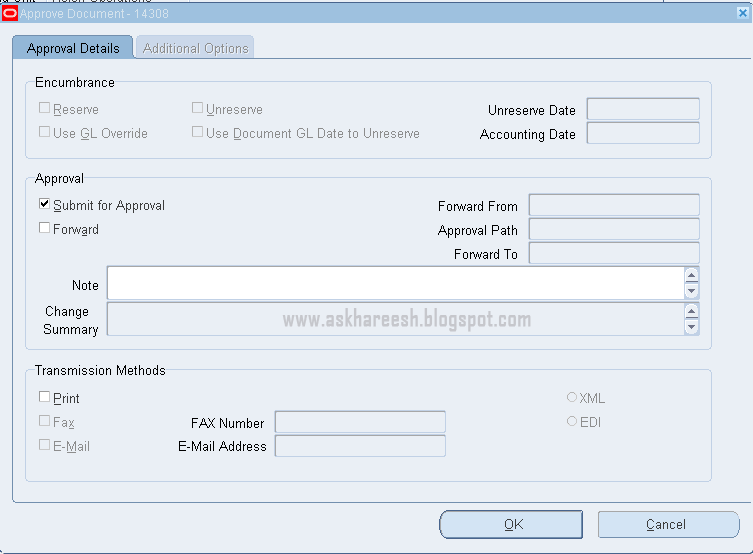
Save all your data, copy PO number for further reference, check the status column as “Incomplete” and approve the Purchase order by clicking Approve button then Click on OK.

Procure to Pay (P2P) Cycle, www.askhareesh.com

Now check the status as “Approved”.
The tables affected with PO creation are:

SELECT * FROM PO_HEADERS_ALL WHERE SEGMENT1='6037' AND TYPE_LOOKUP_CODE='STANDARD';

SELECT * FROM PO_LINES_ALL WHERE PO_HEADER_ID=110349;

SELECT * FROM PO_LINE_LOCATIONS_ALL WHERE PO_LINE_ID=173277;

SELECT * FROM PO_DISTRIBUTIONS_ALL WHERE LINE_LOCATION_ID=264447;

You can check PO status and details in Purchase Order summary form.
You can see the history of Purchase Order.
Tools Menu ---> Action History
You can create the Purchase Order document as same as previous with different PO number.
Tools Menu ---> Copy Document
You can cancel the Purchase Order.
Tools Menu ---> Control

Receipts:

Navigation: Purchasing, Vision Operations (USA) ---> Receiving ---> Receipts
Procure to Pay (P2P) Cycle, www.askhareesh.com

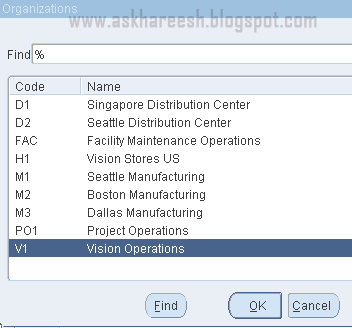
Select Vision Operations and click Ok.
Procure to Pay (P2P) Cycle, www.askhareesh.com

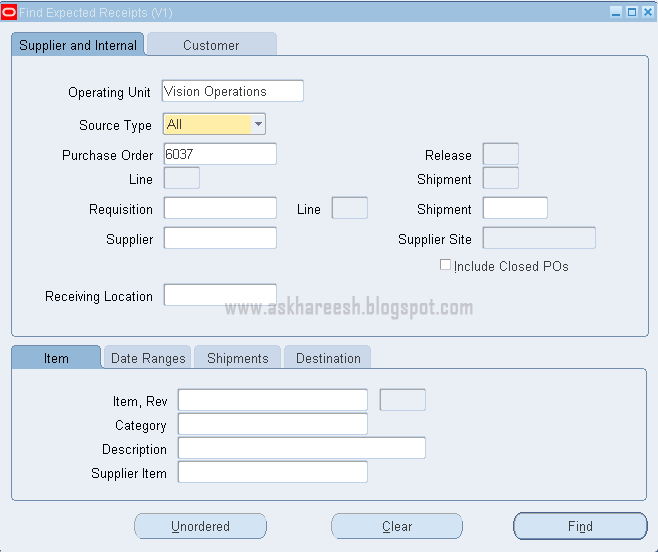
 Enter Purchase Order number and click on Find button.

Procure to Pay (P2P) Cycle, www.askhareesh.com

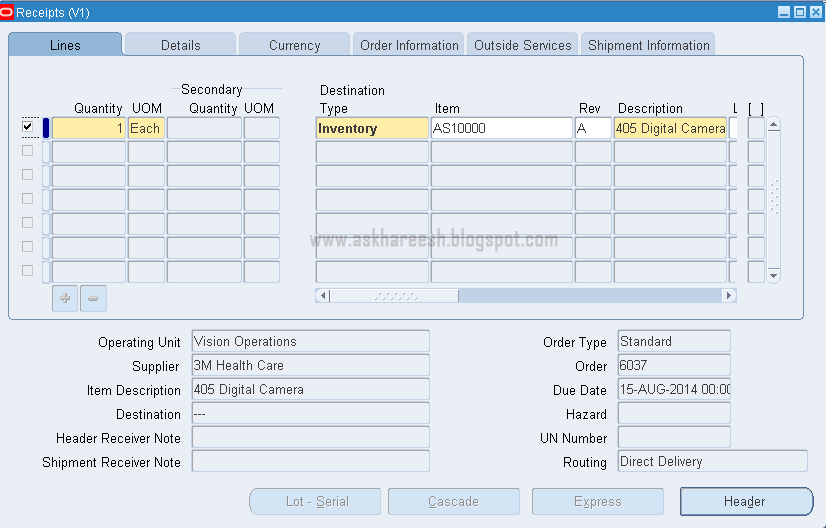
Check button as shown above and save, and then click on Header button.

Procure to Pay (P2P) Cycle, www.askhareesh.com

<<<Previous                    Next>>>


Procure to Pay (P2P) Cycle

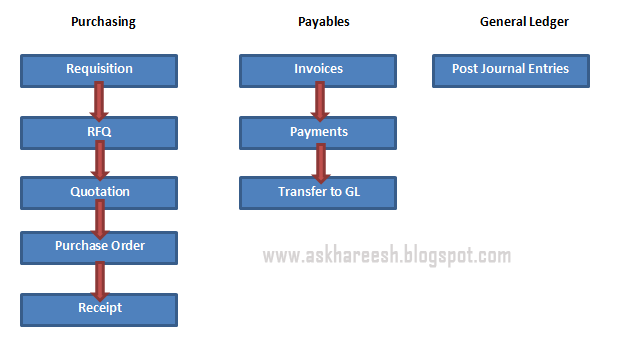
Mainly three applications are involved in Financial Module i.e. P2P cycle.
Those 3 applications are
  • Purchasing (PO)
  • Account Payables (AP)
  • General Ledger (GL)

P2P cycle flow diagram:
Procure to Pay (P2P) Cycle, AskHareesh Blogspot
Procure to Pay (P2P) Cycle, www.askhareesh.com
During the Purchasing application flow, three types of roles are involved. Those are
  • Requestor           :               Employee who require or request for the materials.
  • Preparer              :               Employee who is going to prepare the Document.
  • Buyer                    :               Employee who is having the authority to purchase materials.

Requisition: It is one of the purchasing documents will be prepared by the employee who required the materials or Services or Training and so on. We have two types of Requisitions. Those are
  • Internal Requisition
  • Purchase Requisition

Internal requisition will be created when we receive materials from another Inventory of the same organization. Purchase requisition will be created when we purchase materials from the Suppliers (vendors). Requestor creates this requisition.

Navigation: Purchasing, Vision Operations (USA) ---> Requisitions ---> Requisitions
Procure to Pay (P2P) Cycle, www.askhareesh.com

We enter the Requisition data in 3 levels. Those are Headers, Lines and Distributions.
Enter Requisition type at headers level and Item, UOM, Quantity, Price and Need-By-Date columns at lines level like below
Procure to Pay (P2P) Cycle, www.askhareesh.com

Click on Distributions and click on Charge Account column, Accounts information will propagate automatically. Save your data by clicking save button in menu.

Procure to Pay (P2P) Cycle, www.askhareesh.com

Copy Requisition number for further steps and observe the status as “Incomplete”.
 
Procure to Pay (P2P) Cycle, www.askhareesh.com

Now click on Approve button.

Procure to Pay (P2P) Cycle, www.askhareesh.com