I want to change field prompt name from "Effective Date" as "GL Date" in Journal entry page.
Navigation:
General Ledger, Vision Operations (USA) --> Journals --> Enter --> New Journal
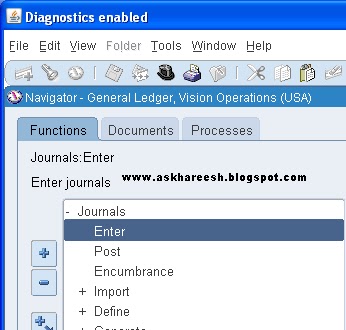
Navigation for Personalization:
Help --> Diagnostics --> Custom Code --> Personalize

Enter the Seq number and Description of the personalization and the trigger event should be "WHEN-NEW-FORM-INSTANCE".

Go to Actions tab:
Enter seq number, object type, Target Object, Property Name, Value.

Save the form, close all the windows and reopen Journal Entry form. Now you can observe the change.

Navigation:
General Ledger, Vision Operations (USA) --> Journals --> Enter --> New Journal
Navigation for Personalization:
Help --> Diagnostics --> Custom Code --> Personalize
Enter the Seq number and Description of the personalization and the trigger event should be "WHEN-NEW-FORM-INSTANCE".
Go to Actions tab:
Enter seq number, object type, Target Object, Property Name, Value.
Save the form, close all the windows and reopen Journal Entry form. Now you can observe the change.
98DB98ED
ReplyDeleteAğrı
Kırklareli
Kayseri
Karabük
Aydın
Osmaniye
Manisa
Batman
Malatya
B8F00209
ReplyDeleteTunceli
Rize
Bolu
Yalova
Düzce
Muğla
Uşak
Bingöl
Kırıkkale