Transfer to General Ledger:
View Menu ---> Requests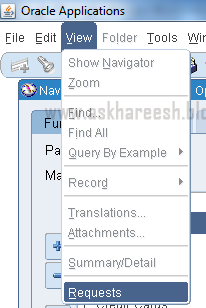
Run “Transfer
Journal Entries to General Ledger” program. Enter the parameters as below.

Run “Transfer
Journal Entries to General Ledger” program. Enter the parameters as below.
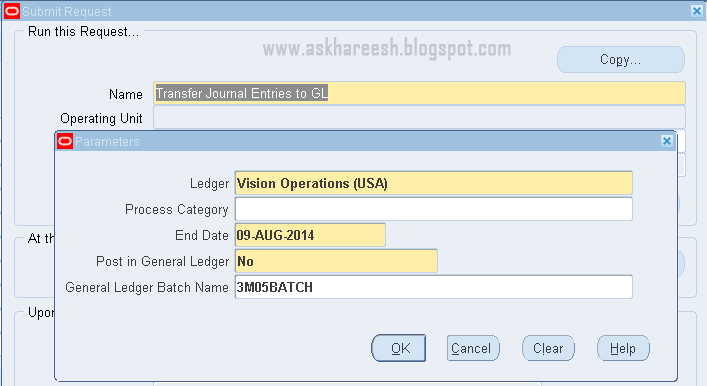
Submit the
program by clicking OK and then Submit Button and copy the batch name. Find the
request status by clicking Find button. After successful completion of this
concurrent program, another program will run automatically named as “Journal
import”, after this “Open Account balances Data Manager” and “TB worker”
programs will run automatically.

By successful
completion of these concurrent programs, journal entries will be transferred to
General Ledger module. You can check these with Batch name.
General Ledger:
Navigation: General
Ledger, Vision Operations (USA) ---> Journals ---> Enter

Enter batch
details and click on Find button.
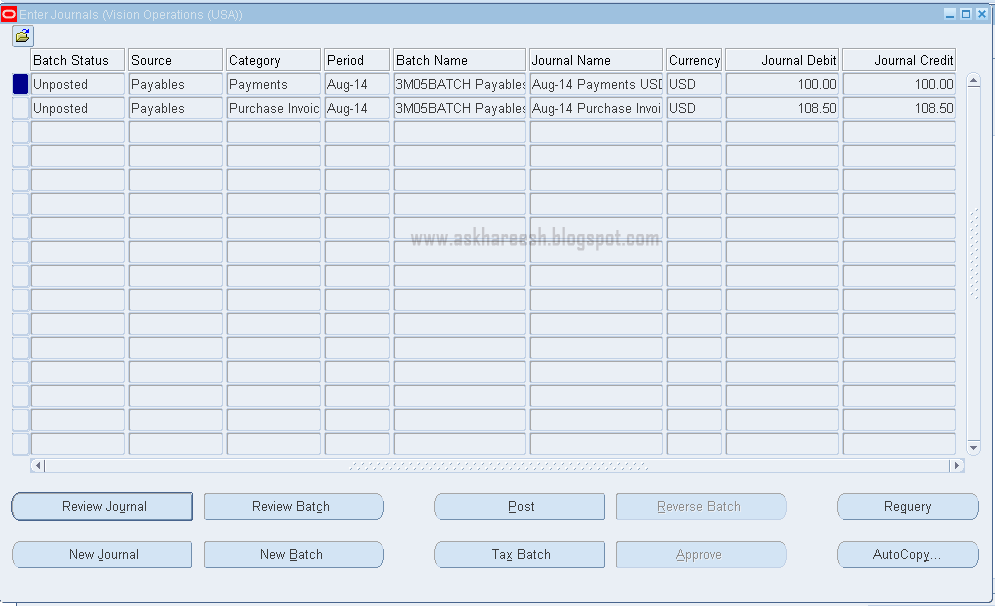
You can review
your journal by clicking Review journal button.
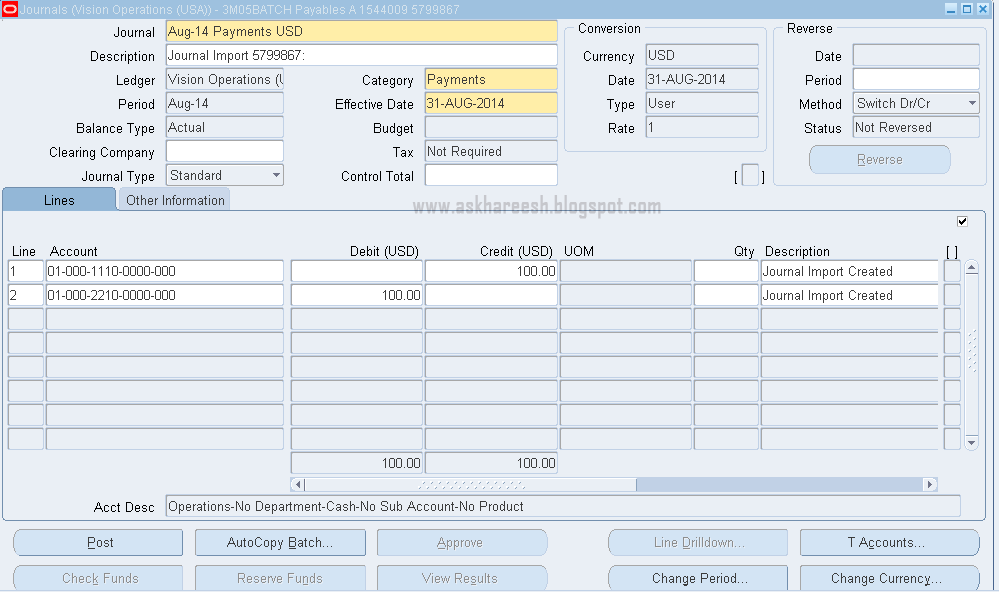
Post your
Journal Entries by clicking Post button. The following Message will display.
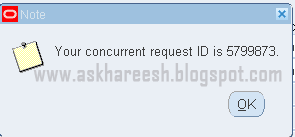
You can check
this Concurrent program status.

The tables
affected with this Journal Entries are:
SELECT * FROM GL_JE_BATCHES WHERE NAME LIKE '3M05BATCH%';

SELECT * FROM GL_JE_HEADERS WHERE JE_BATCH_ID=2927184;

SELECT * FROM GL_JE_LINES WHERE JE_HEADER_ID IN (468115, 4681156);
0AD2D76D
ReplyDeleteMuğla
Hakkari
Yalova
Manisa
Şırnak
Tunceli
Bitlis
Bingöl
Kayseri
5ACAA629
ReplyDeleteAyaş
Kırıkhan
Salihli
Kayapınar
Kartepe
Derince
Ceyhan
Milas
Kandıra
B5578D34
ReplyDeleteÜrgüp
Soma
Altındağ
Kartepe
Beykoz
Gökçeada
Kaynarca
Güzelbahçe
Bucak
45651C9F
ReplyDeleteİslahiye
Demre
Elbistan
Tavşanlı
Yalıkavak
Sorgun
Ayvalık
Akseki
Çiğli
A24C460F
ReplyDeleteNusaybin
Altınova
Burhaniye
Fethiye
Esat
Manavgat
Sapanca
Susurluk
Bergama